
Invoice Intelligence - PurchaseFlow | Automated Purchasing Solution

🧠 Invoice Intelligence

AI that checks your invoices before you pay them.

Every invoice verified against your purchase orders, delivery records, and agreed supplier prices. Errors flagged, fraud detected, duplicates caught — all before payment is released. No manual checking required.

Three-way matching

Fraud detection

Duplicate detection

Calculation verification

Auto credit notes

1 in 8

invoices contain errors caught before payment 0

0

manual checks required from your team

Auto

credit notes raised — no supplier confrontation

PO-skip

raud checks bypass PO-matched invoices (already approved)

Platform Detail

Five checks. Every invoice. Every time.

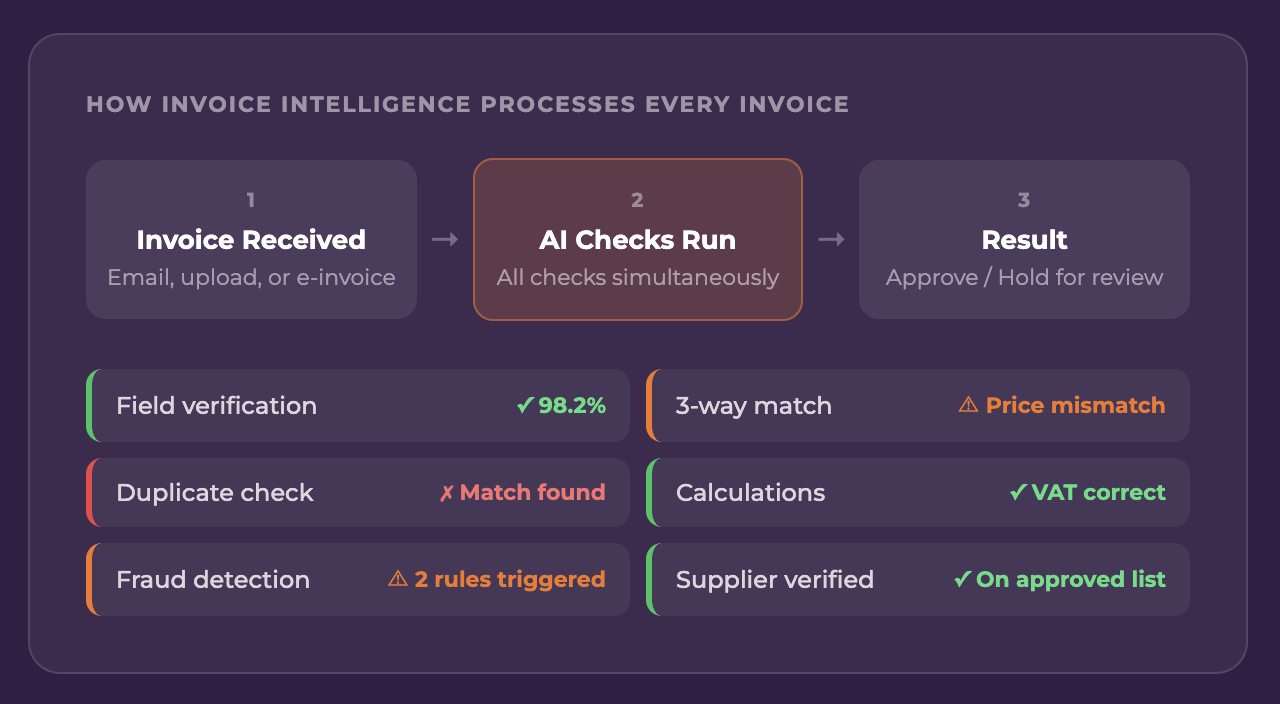
Invoice Intelligence runs all five verification types simultaneously. A clean invoice flows straight through. One with issues is held for review — never auto-paid.

01 — Three-Way Matching

Order. Delivery. Invoice. All three must agree.

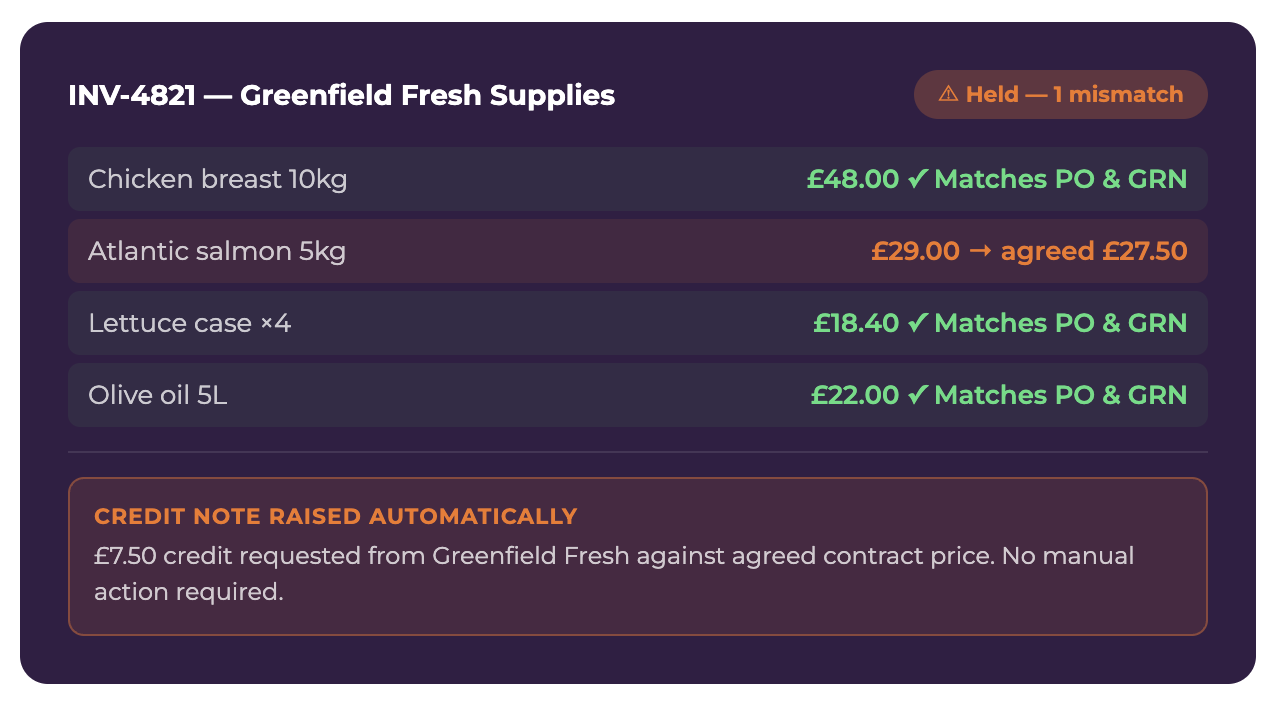
PurchaseFlow connects every invoice to its originating purchase order and the goods received note created when the delivery was checked in. If the quantities, prices, or items don’t match across all three, the invoice is flagged before payment.

What gets checked

Line item quantities · Agreed vs invoiced prices · Products received vs invoiced · Invoice total vs expected total · VAT calculation accuracy

When matching is skipped

If no purchase order exists, the system flags the invoice as a non-PO invoice rather than failing silently. Finance teams can configure whether these are auto-held or routed for approval.

02 — Fraud Detection

Rule-based checks with optional AI risk scoring.

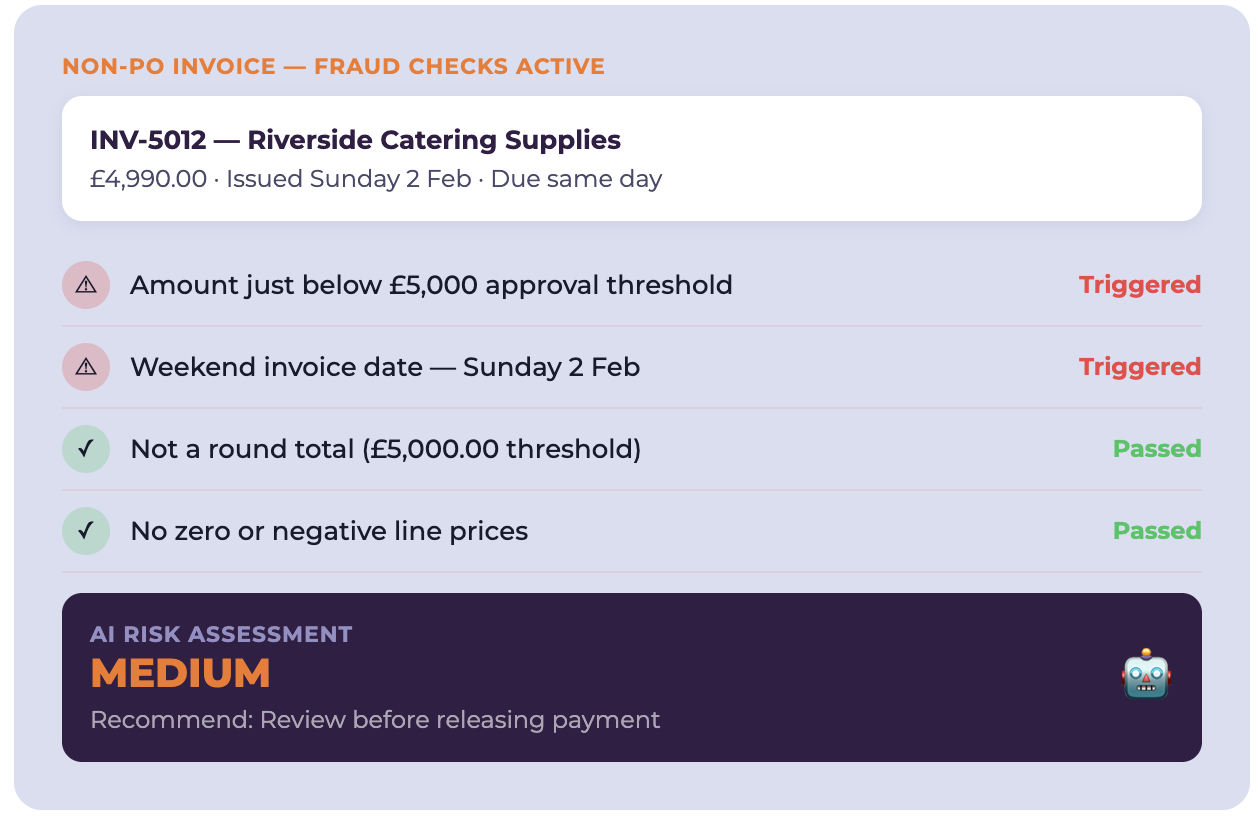
Fraud detection runs on non-PO invoices (PO-matched invoices are already pre-approved by definition). Rule-based checks flag common fraud patterns instantly. Optionally, flagged invoices are passed to an AI that assesses supplier legitimacy and returns a risk rating.


Rules checked include

Round totals above threshold · Amounts just below approval limits · Weekend issue dates on large invoices · Same-day issue and due dates · Zero or negative line prices · Unusually high line quantities

Configuration

Each rule can be enabled or disabled individually per tenant. AI risk scoring is off by default and can be enabled in Invoice Intelligence settings.

03 — Duplicate Detection

Same invoice twice. Similar invoice within days. Both caught.

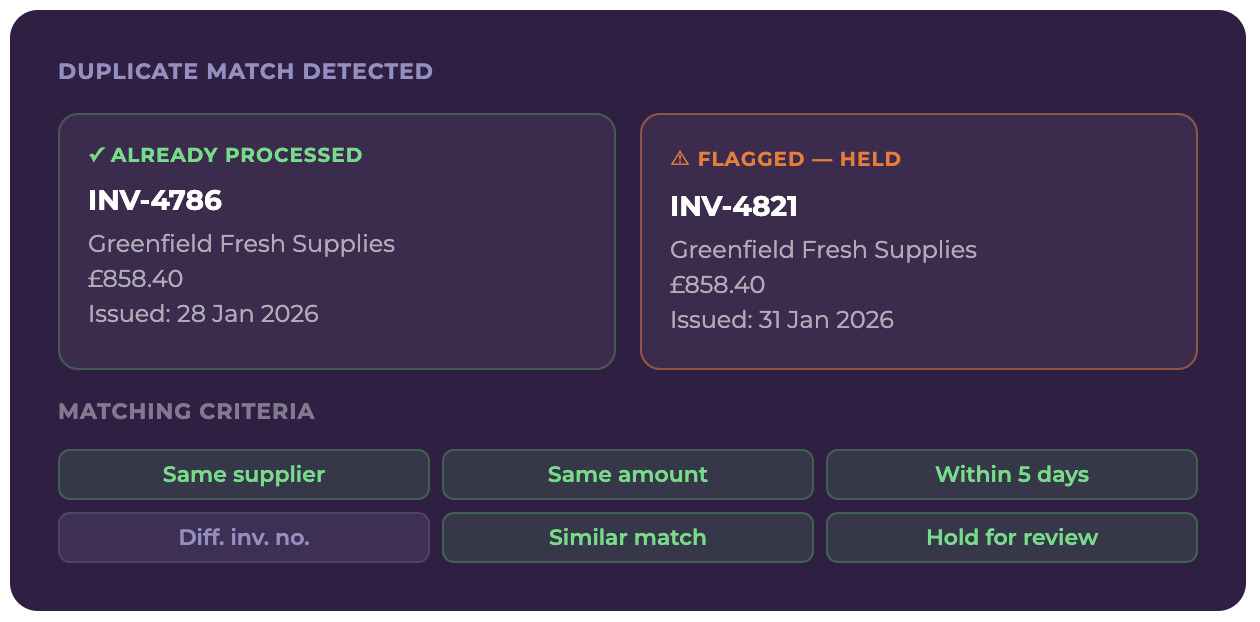
Duplicate detection checks for exact invoice number matches and for similar invoices — same supplier, similar amount, within a configurable date window. Catches both the copy-paste error and the deliberate resubmission.

Exact duplicate check

Invoices with identical invoice numbers from the same supplier are flagged immediately, regardless of amount.

Similar invoice check

Configurable thresholds: amount difference percentage and date range window. Both are set in Invoice Intelligence settings per tenant.

Configuration

Every check is configurable per tenant.

Turn individual checks on or off. Set thresholds that match your supplier relationships and approval workflows. No one-size-fits-all.

Invoice Intelligence Settings

Field Verification

Verify uncertain invoice fields using multiple AI checks

Three-Way Matching

Match invoices to purchase orders and goods received notes

Fraud Detection

Flag suspicious patterns — runs on non-PO invoices only

Duplicate Detection

Catch exact and similar duplicates before payment

Calculation Verification

Verify totals, VAT calculations, and line item sums

AI Risk Scoring (LLM review)

Pass fraud-flagged invoices to AI for supplier legitimacy check

See Invoice Intelligence working on your own invoices.

Book a 30-minute demo. We’ll show you what it would catch in your current process.